
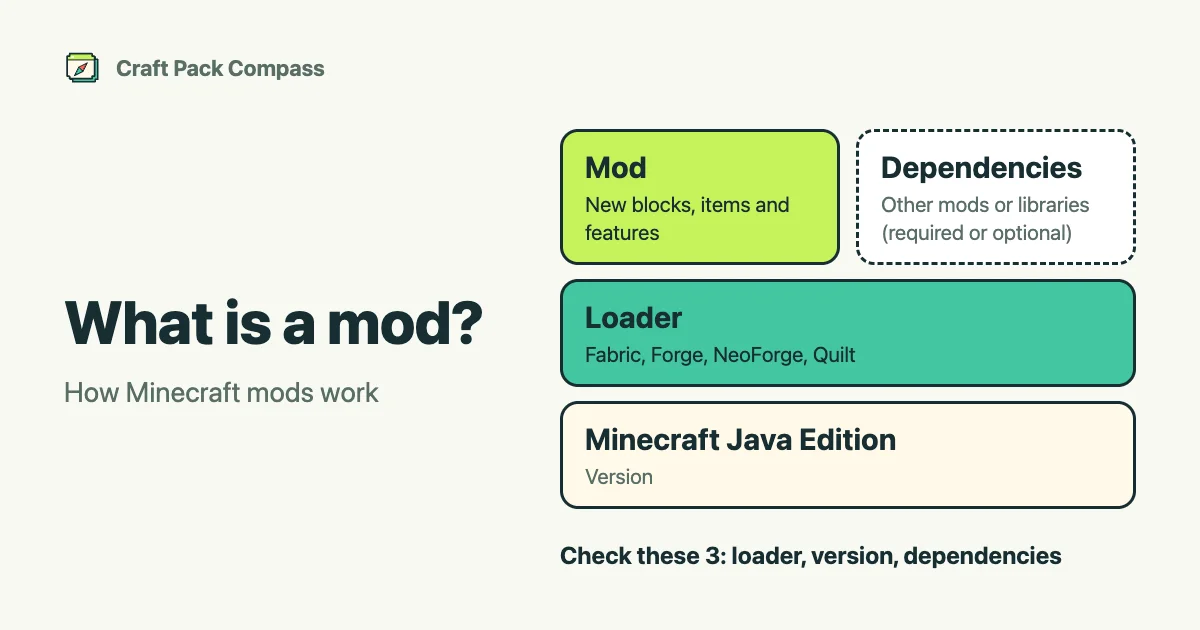
A mod is an add-on program that adds new blocks, items, creatures or features to Minecraft, or changes how the game behaves. The word comes from “modification”, and creators around the world make and share them.
On Minecraft Java Edition, which Craft Pack Compass covers, you install mods on your own computer.
What you need to use a mod
- A loader: the base that loads mods. Fabric, Forge, NeoForge and Quilt are examples. A mod only runs in a game that has a loader it supports.
- A Minecraft version: each mod supports specific versions. If the version does not match, it often does not work.
- Dependencies: some mods need other mods or libraries. If you forget a required one, the game may not start.
Checking these three (loader, version and dependencies) before you install saves you trouble. You can check them on the project pages and the compare page of Craft Pack Compass.
Other add-ons besides mods
Minecraft Java Edition has other kinds of add-ons too.
- Shaders: change how light, shadows and water look.
- Resource packs: change textures, sounds and more for blocks and items.
- Data packs: add rules and content to the game without a mod.
Craft Pack Compass lets you find all four: mods, shaders, resource packs and data packs.
Before you install
Three checks before you install
- Download from the official page of the distribution site (such as Modrinth). Avoid files from unknown sources.
- Back up your world before you add mods.
- How a mod behaves can change with the combination of mods. Read the distribution page, too.
Next, see how to search. See also mods and add-ons: what is the difference.