

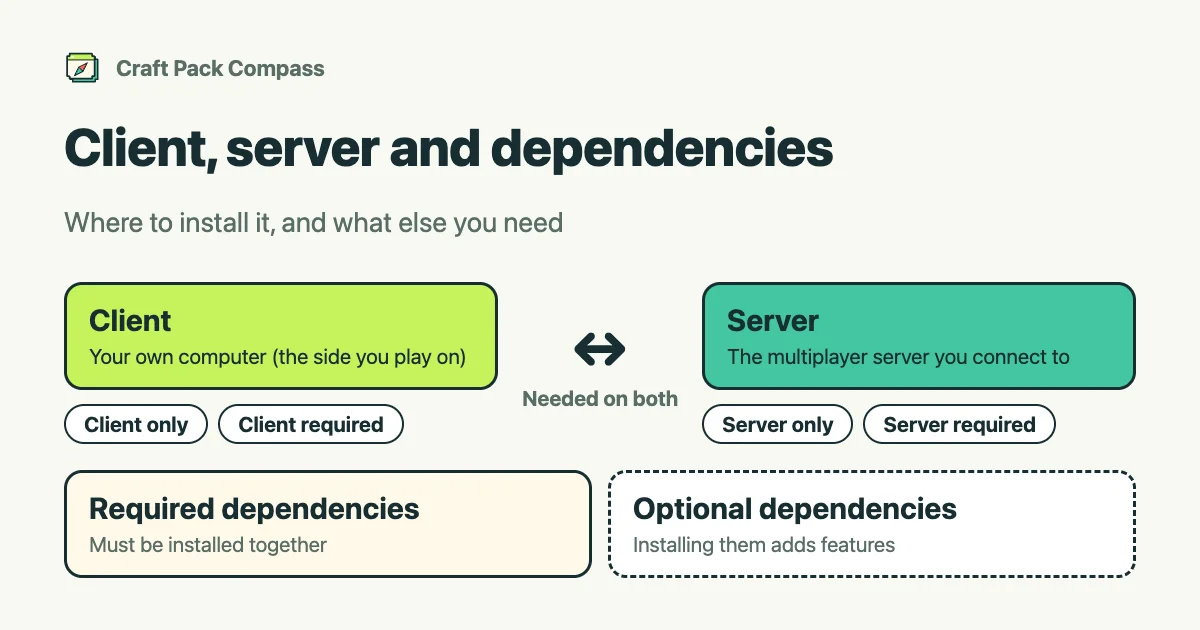
Each mod has a place it goes and may need other things. Here is how to read the project page.
Client and server
- Client: your own computer, the side you play on.
- Server: the multiplayer server you connect to.
Where a mod goes differs from mod to mod. A project page shows labels like these.
| Label | Meaning |
|---|---|
| Client only | Goes on your computer. It is not installed on the server. |
| Server only | Goes on the multiplayer server. It is not installed on your own computer. |
| Client & server | Must be installed on both your computer and the server. |
| Client required | Required on your computer. Optional on the server. |
| Server required | Required on the server. Optional on your computer. |
| Client or server | Works whether installed on your computer, the server, or both. |
| Check needed | Support is unknown. Check the project page. |
Playing alone and in multiplayer
When you play alone, install on your own computer. In multiplayer, match what you install with the server’s administrator.
Dependencies
Some mods need other mods or libraries.
- Required: must be installed together. If you forget one, the game may not start.
- Optional: works without it. Installing it adds features.
Check the required ones in the dependency list on the project page, and install them first.
Check them in a comparison
When you use several mods, the compare page and pre-install check put client / server support and dependencies side by side. Pick the environment you will play in (Minecraft version, loader, and client or server) to check whether they work there.
For loaders, see what is a loader.